Loop
Built for iOS & iPadOS 27 · Apple Intelligence

Say it once.
Loop builds the plan or habit.

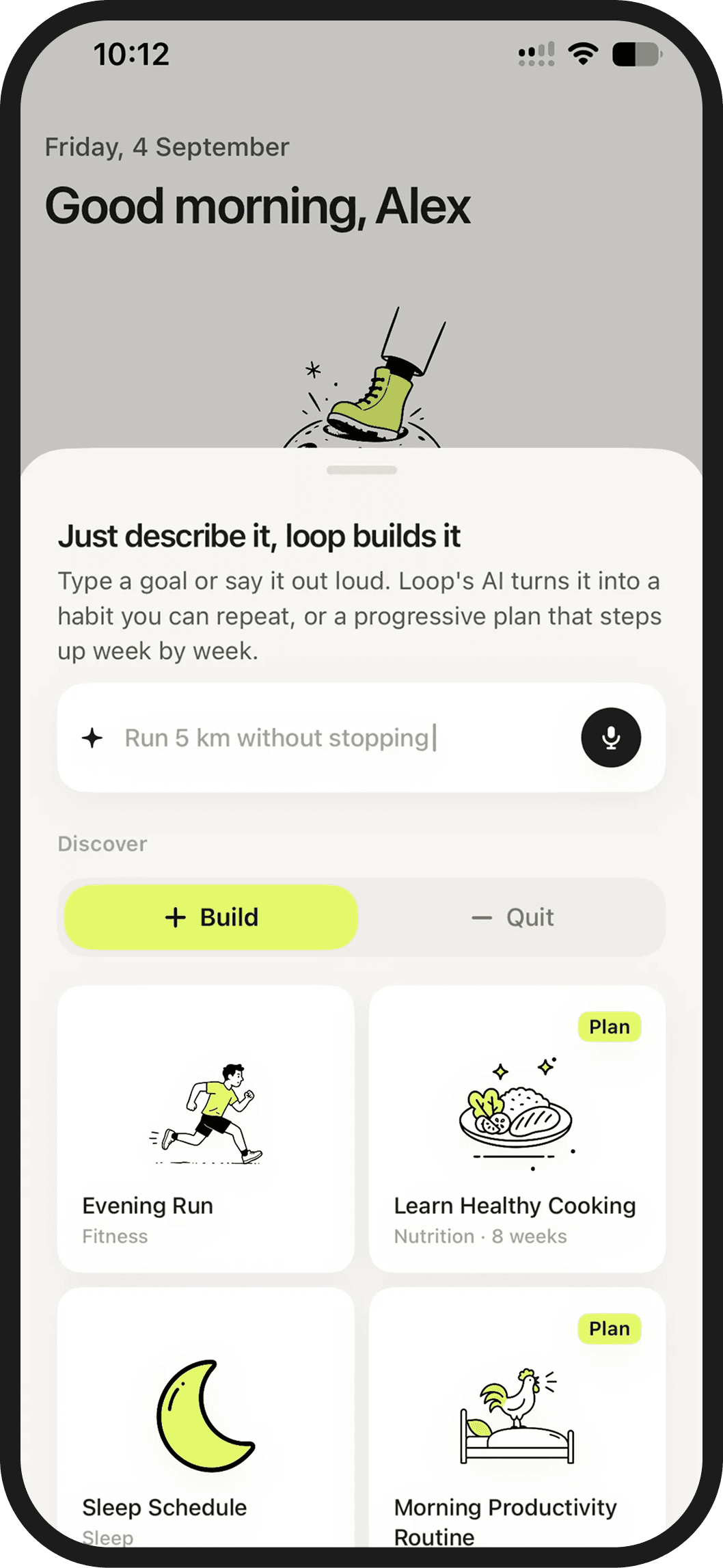
Describe what you want to archieve, in your own words. Built for iOS 27, Loop uses Apple Intelligence to understand your goal and set up the habits, schedule, and milestones. No forms. No setup wizard. No forty taps before you start.

How it works

A sentence in. A system out.

Most habit apps make you do the thinking: pick a category, set a frequency, choose a reminder, name a unit. Loop does that part for you.

Describe it and we'll fill this in…
01Say what you want

Type it or say it out loud. "Sleep before midnight." "Stop scrolling at dinner." "Half marathon by October." Plain words are enough.

02Loop works it out

Apple Intelligence reads the intent and drafts the habits, cadence, and milestones. Adjust anything with a tap. Or don’t.
03Keep the loop going, one step at a time.

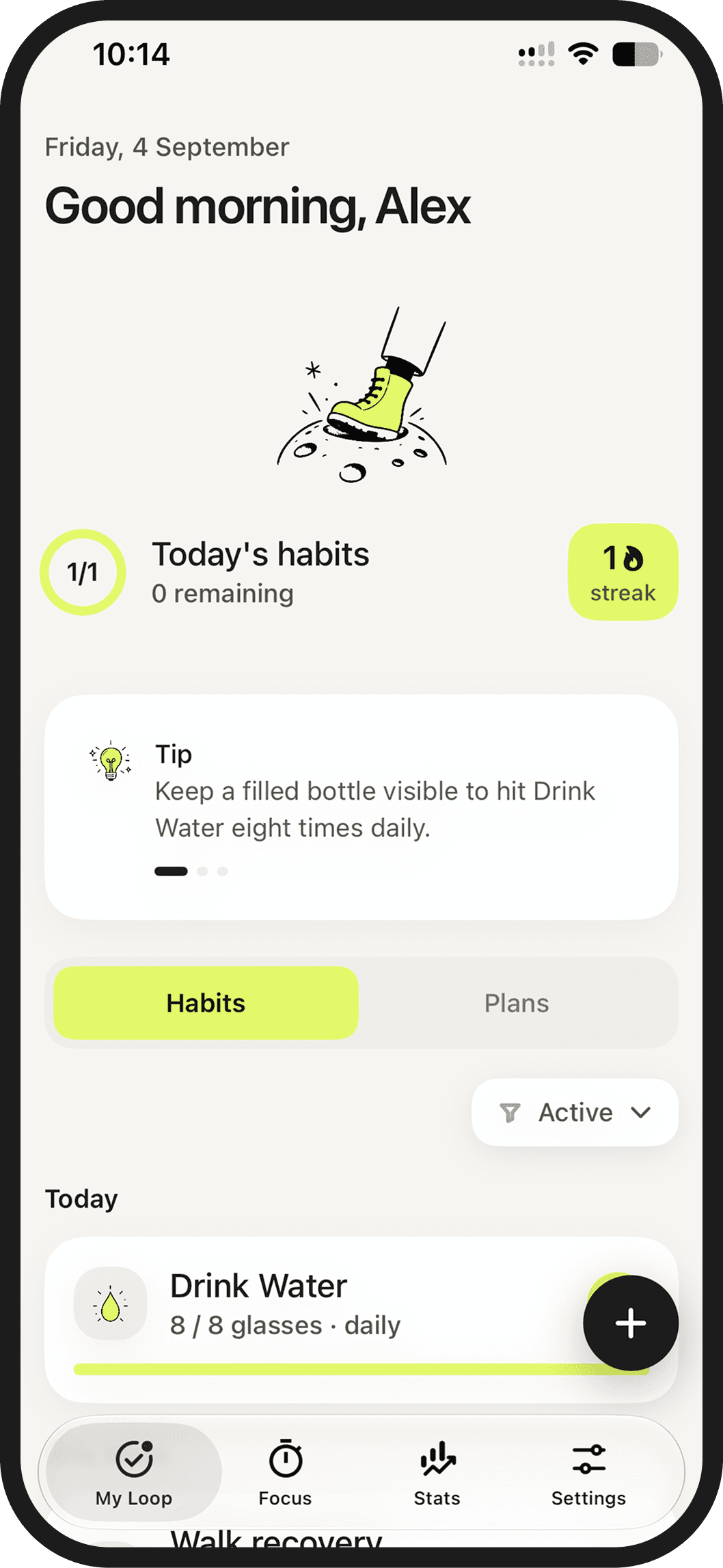
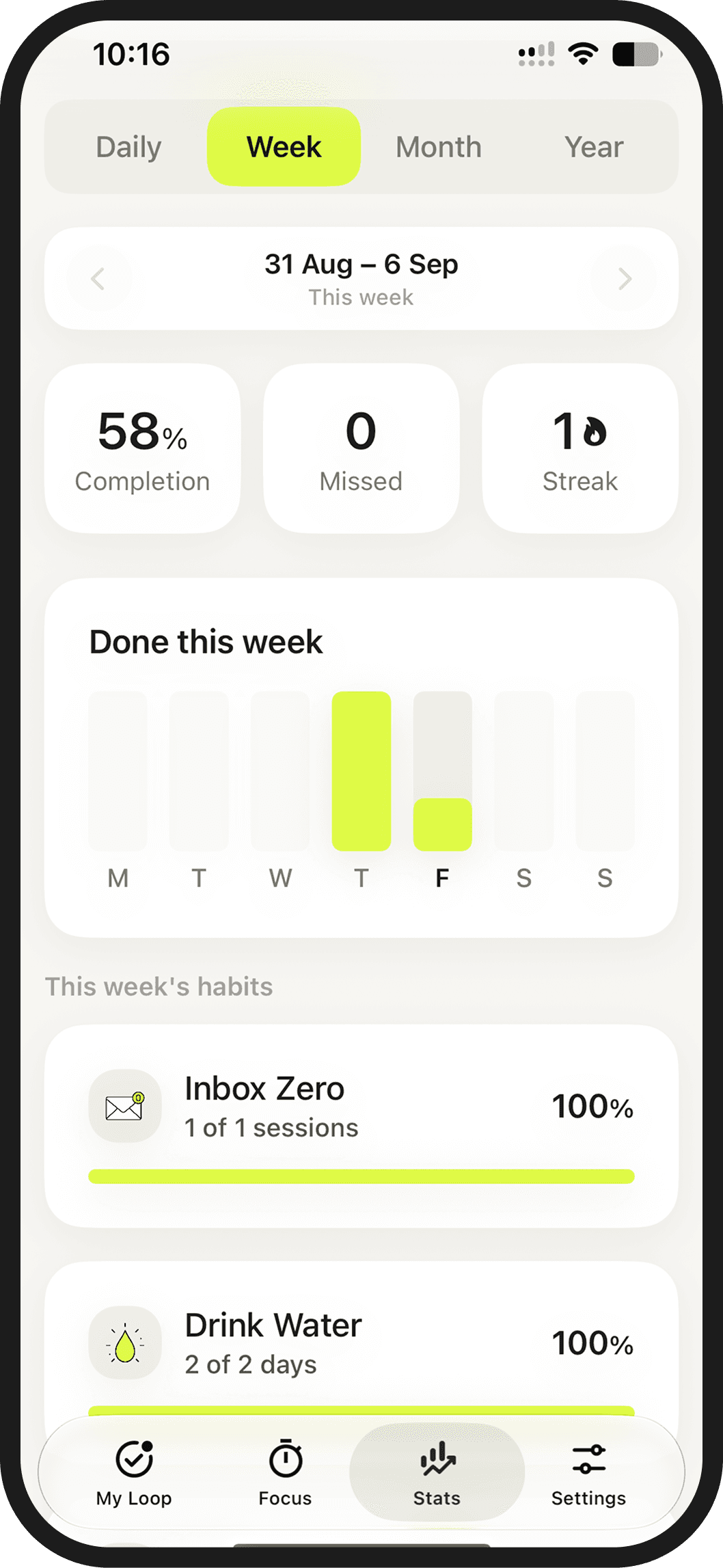
Swipe to complete. Loop keeps your progress visible, helps with reminders, and stays quiet the rest of the time.

Features

Everything you need. Nothing you have to configure.

No forms. Just the sentence.

One field replaces the setup flow. Loop picks the type, frequency, target, and reminders, then shows you the result before anything is saved.

"Read 20 books this year""Quit smoking by summer""Run 10k"
Run a half marathon by October
understood as
Active plan
FitnessDay 23
Run a Half-Marathon
Milestone 2 of 438% done
Easy runLong run Sunday
Built for iOS & iPadOS 27 · Apple Intelligence

Loop uses Apple Intelligence through Apple’s Private Cloud Compute to understand your goal and turn it into a habit or plan you can review before saving.

Build them. Or break them.

Build habits you want more of. Quit habits you want less of. One counts check-ins; the other counts days avoided.

Meditate2 / 1 session · daily
Quit SmokingQuitAvoid · dailyQuit Smoking · M131
Vacation mode

Going away? Pause your habits while you’re away. Streaks hold, nothing counts as missed, and Loop picks up where you left off.

Vacation modePause streaks & reminders while you're away
Focus mode

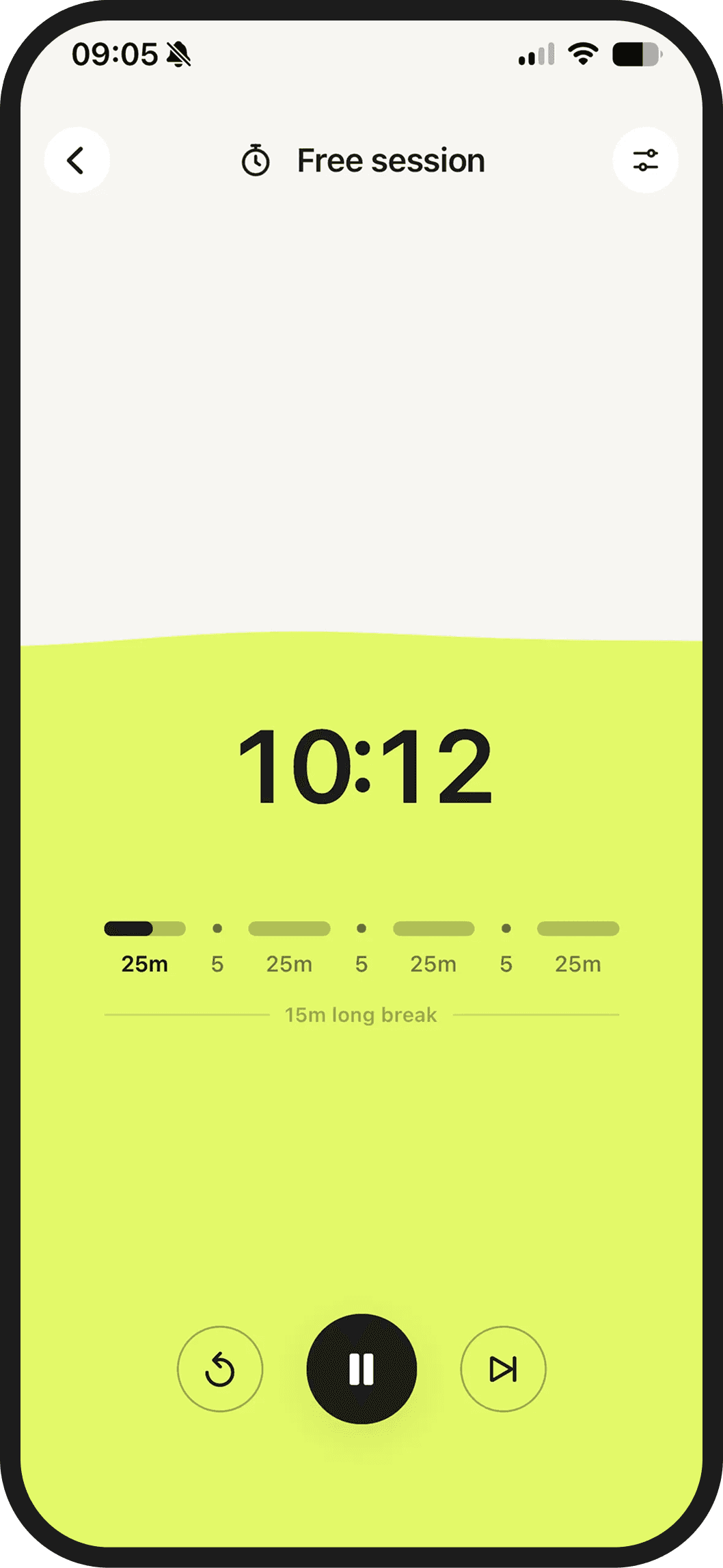
Some habits need a block of time, not a checkbox. Start a Pomodoro session from any habit, or run one on its own.

Block done50 minutes on Read
block 2 of 4
Ready to go

Don't know where to start?

Loop ships with a library of habits and plans already tailored and ready to use. Pick one and it's set up — the schedule, the target are already filled in.

Take Vitamins
Health
Quit Smoking
Health
Evening Run
Fitness
Drink Water
Nutrition
No Alcohol
Health
Walk
Fitness
Sleep Schedule
Sleep
No Added Sugar
Nutrition
Deep Work
Productivity
Read
Learning
Yoga
Fitness
No Social Media
Productivity
Eat Vegetables
Nutrition
Language Practice
Learning
No Phone in Bed
Sleep
Gym
Fitness
Call Parents
Social
Decluttering
Home
Track Expenses
Finance
Writing
Hobbies
Music Practice
Hobbies
Screen-free Evenings
Sleep
Planning
Productivity
Cleaning
Home
Take Vitamins
Health
Quit Smoking
Health
Evening Run
Fitness
Drink Water
Nutrition
No Alcohol
Health
Walk
Fitness
Sleep Schedule
Sleep
No Added Sugar
Nutrition
Deep Work
Productivity
Read
Learning
Yoga
Fitness
No Social Media
Productivity
Eat Vegetables
Nutrition
Language Practice
Learning
No Phone in Bed
Sleep
Gym
Fitness
Call Parents
Social
Decluttering
Home
Track Expenses
Finance
Writing
Hobbies
Music Practice
Hobbies
Screen-free Evenings
Sleep
Planning
Productivity
Cleaning
Home
Plan
Stop Smoking in 4 Weeks
Health · 4 weeks · Quit
Plan
Run Your First 10K
Fitness · 12 weeks
Plan
Better Sleep Routine
Sleep · 6 weeks
Plan
Read 6 Books in 12 Weeks
Hobbies · 12 weeks
Plan
Social Media Detox
Productivity · 4 weeks · Quit
Plan
Get Fit by Summer
Fitness · 12 weeks
Plan
Reduce Sugar Intake
Nutrition · 6 weeks · Quit
Plan
Morning Productivity Routine
Productivity · 6 weeks
Plan
Build an Emergency Fund
Finance · 12 months
Plan
Learn Basic Language
Learning · 12 weeks
Plan
Unplug Before Bed
Sleep · 4 weeks · Quit
Plan
Learn Healthy Cooking
Nutrition · 8 weeks
Plan
More Family Time
Social · 8 weeks
Plan
Sit Less Every Day
Fitness · 6 weeks · Quit
Plan
Quit Impulse Spending
Finance · 8 weeks · Quit
Plan
First Investment Habit
Finance · 8 weeks
Plan
Keep a Tidy Home
Home · 6 weeks
Plan
Swap Scrolling for Reading
Learning · 6 weeks · Quit
Plan
Rebuild Your Social Life
Social · 8 weeks
Plan
Trade Screen Time for Your Hobby
Hobbies · 6 weeks · Quit
Plan
Stop Smoking in 4 Weeks
Health · 4 weeks · Quit
Plan
Run Your First 10K
Fitness · 12 weeks
Plan
Better Sleep Routine
Sleep · 6 weeks
Plan
Read 6 Books in 12 Weeks
Hobbies · 12 weeks
Plan
Social Media Detox
Productivity · 4 weeks · Quit
Plan
Get Fit by Summer
Fitness · 12 weeks
Plan
Reduce Sugar Intake
Nutrition · 6 weeks · Quit
Plan
Morning Productivity Routine
Productivity · 6 weeks
Plan
Build an Emergency Fund
Finance · 12 months
Plan
Learn Basic Language
Learning · 12 weeks
Plan
Unplug Before Bed
Sleep · 4 weeks · Quit
Plan
Learn Healthy Cooking
Nutrition · 8 weeks
Plan
More Family Time
Social · 8 weeks
Plan
Sit Less Every Day
Fitness · 6 weeks · Quit
Plan
Quit Impulse Spending
Finance · 8 weeks · Quit
Plan
First Investment Habit
Finance · 8 weeks
Plan
Keep a Tidy Home
Home · 6 weeks
Plan
Swap Scrolling for Reading
Learning · 6 weeks · Quit
Plan
Rebuild Your Social Life
Social · 8 weeks
Plan
Trade Screen Time for Your Hobby
Hobbies · 6 weeks · Quit
Privacy

It figures out your plan without figuring out you.

Loop asks for something personal: what you’re trying to change. That’s why your goals aren’t stored on Loop’s servers. Apple Intelligence handles goal and plan creation through Apple’s Private Cloud Compute.
Private by design

Goal and plan creation uses Apple’s Private Cloud Compute. Loop doesn’t store your goals on its servers.

Nothing to sell

No ads, no trackers, no data brokers. Loop is paid for by the people who use it, which keeps the incentives simple.

No Loop account

Use Loop without creating a Loop account. Your information is not tied to a Loop account.

FAQ

Questions,
answered plainly.

Still stuck? Write to hello@downloadloop.app and a human replies.

Do I have to set anything up?

Not much. Tell Loop what you want to change. Loop turns it into a habit or plan you can adjust before you start.

What does Apple Intelligence actually do?

Apple Intelligence turns the goal you describe into a habit or progressive plan, including its frequency, milestones and reminders. In Loop, this runs through Apple’s Private Cloud Compute. You can review and edit everything before saving.

Can Loop create a full plan, not just one habit?

Yes. Simple goals can become one habit. Bigger goals can become a progressive plan with different habits and small steps. You can adjust it before you start.

Can I edit what Loop creates?

Yes. Loop gives you a starting point, not a rulebook. Change the name, pace, schedule, reminders, and add or remove habits from your plan before you start.

Are Loop’s health and fitness plans professionally certified?

No. Loop creates general suggestions from what you write. Plans are not individually reviewed, medically validated or certified by a healthcare, nutrition or fitness professional, and they do not guarantee a result. Review and adjust every plan before you start. Speak to a qualified professional before making significant changes to your health, medication, diet, sleep or exercise.

What's free and what's paid?

Loop Free includes up to 3 habits and lets you try one plan for 14 days. Loop Premium gives you unlimited habits and plans, plus Focus Mode with a Pomodoro timer, and Vacation Mode for when you need a real break.

Does Loop have access to my data?

No. Loop doesn’t store your goals on its servers. Apple Intelligence handles your request through Apple’s privacy system; on device when possible, and through Private Cloud Compute for more complex requests.

Which iOS version do I need?

Loop requires a compatible iPhone or iPad running iOS or iPadOS 27 or later, with Apple Intelligence enabled. Creating habits and plans also requires an internet connection.

Can I quit habits, not just build them?

Yes. Quit habits were built into Loop from the start, and they work differently from build habits. You can avoid something completely, or set a limit when that makes more sense. Loop won’t send weird “did you do it?” reminders for habits you’re trying to quit. Your streak keeps going unless you log a slip.

What are smart reminders?

Smart reminders learn from your routine and fit the habit. If you usually take vitamins at 8 AM, Loop can remind you around then. If you tend to run on Wednesdays, it can nudge you the day before to get your gear ready. They adapt to your routine, so keeping going takes a bit less effort.

What happens if I miss a few days?

Nothing breaks. A missed check-in can affect your streak, but it doesn’t erase your progress. If you forgot to log something, you can edit your habit log. Then just pick up where you left off.

What is Focus Mode?

Focus Mode helps you stay with one habit at a time. Use the Pomodoro timer for reading, studying, deep work, or any habit that needs a focused session.

Do I have to create every habit from scratch?

No. Pick a ready-made habit like Drink Water, Take Vitamins, or Quit Smoking, then adjust the details to fit your routine.

Can Loop help me run my first 10K?

Yes. Start with the ready-made Run Your First 10K plan. It breaks the goal into milestones and habits that build over 12 weeks, and you can review and adjust the plan before you start.